Flipped Classroom for Grad Students

We’re now almost half way through the semester. This means I am almost halfway through my experiment in using a flipped classroom with my graduate students. In all honesty, so far I’m loving the experience, even though there are things I’d do differently next time and kinks I still have to work out.

Flipped Classroom Love

Students do the reading for the flipped classroom

After a couple of rocky sessions where some of the students came unprepared and unable to complete the tasks, I’m now sure most of them are coming having done the reading (or at least having skimmed it–there’s too much reading. Not sure how to fix that yet). Having to apply the concepts immediately gives the reading a purpose.

Student engagement

One thing I’ve really loved is how engaged students have been. During activities in our flipped classroom they are discussing, planning, reflecting, and asking questions. They’re referring to class texts for reference the way I would want them to while planning in the field. I’ve even started to see debates and discussions about their in class lesson planning assignments.

I did a standard lecture just before Spring Break. It was terrible. Granted, it was on the one course topic I have never lectured on before and I was very nervous. I’ll concede that this might not have been me at my best. At one point during the lecture I looked out to blank stares. It felt awful. The only reason I hadn’t changed it was because it was an extremely busy week and I couldn’t make the time. I knew it would be better and I should have trusted my instincts.

Checking for Understanding

Checking for understanding has become much easier. Because students are getting a video where I model or describe a process and then applying their new learning in a controlled setting (guided practice) in the classroom, I can really monitor what they’re doing and how well they are understanding the course concepts and how well they are able to implement skills. I can also monitor growth. For example, every assignment involves crafting objectives. With each assignment I can see their ability to create these objectives improving, and can then see that improvement transferring to their work in the reading clinic.

Flipped Classroom…meh…

Work Now, Reap the Benefits Later

Since this is my first time doing (or trying to do) a fully flipped classroom, there’s a lot of extra work. I need to choose different resources, make videos, create application assignments. All of that takes time. So. Much. Time. That means I don’t always have the time to make the video the level of quality I’d eventually like it to be. Or sometimes I don’t have the time to make a video at all. And the more I do, the better at it I get. However, that means I’m definitely remaking some of my earlier videos as I learn more about how to craft them and about what makes a good video (and even discover some tech tools I didn’t know existed!)

I’ve been teaching this course for what feels like forever. All the other changes I’ve made have been slow.  This has been fast and big. It’s been so much work and I feel like I’m barely keeping up. Classes feel better, but I don’t know if I can keep up the pace. There were two weeks where I sort of gave up and did my usual lecture. And I need to learn to be OK with that. I can’t do everything all at once.

Managing Time

I’ve been overly ambitious with my assignments. When I go back and revise them, I need to make sure that I think about how much time I actually have–after making announcements and checking in with students, and before they meet with supervisors. Not how much time is scheduled for the class. I also need to make sure I’m actually making announcements at the beginning of class instead of jumping in to things.

It’s easy to get into a rut

One thing I’ve noticed is that most of my assignments are the same. Instead of making assignments different, I’ve been making them all pretty similar. Probably because of time constraints.

Flipped Classroom: Will I do it again?

Yes. I’ve put in a lot of work, but it’s not just because of that. I’m really seeing the benefit for my students, and I’ll find out once I look at the results the midsemester evaluation form I sent out, if they feel the same way.

Flipped Classroom Mini-PLC

Image by DuEnLiJu; Creative Commons 1.0

This year I’m not in a classroom as much as I was last year. I’m not teaching a core content class, I’m only doing small group intervention. That means that I have more time to coach, but I still miss the classroom. A lot. So, when I went to a workshop about using flipped classroom methodologies along with mastery-based learning, I was really excited. But I was also really disappointed. Where could I possibly use this? Certainly not as a coach.

But then! A math teacher I work with, Robin, came to me with a problem: Her students had a wide range of abilities, and she had exhausted her toolkit of differentiation techniques and activities. We talked for a while about what she wanted her students to achieve, what she had tried already, and why she thought it wasn’t working. It came down to students being in very different places in terms of their content mastery. No matter what type of instruction Robin tried, someone always felt frustrated. Kids who got things quickly didn’t feel sufficiently challenged. The kids who struggled were overwhelmed by homework and needed more coaching and support to do things correctly. Jumping in and trying to put together a flipped classroom and looking at mastery learning seemed like a great idea.

Reading About the Flipped Classroom: Starting a Mini-PLC

Our first step was to do some research together. I had dabbled in using flipped classroom techniques, but had never done it fully. She had never done it before either. After some quality time with Google and looking through the resources that I had from the workshop, we settled on the book Flipped Learning for Math Instruction by Jonathan Bergman and Aaron Sams (ISTE, 2015). We each ordered a copy and agreed to read it over winter break.

If you are a math teacher and thinking about using the flipped classroom model, I can’t recommend this book highly enough. It is clear and concise, and gives plenty of real examples from classrooms. The book is organized in a helpful manner, taking a teacher through a logic progression of beginning to implement the flipped classroom model and all the way through extending the model to using it as a part of a mastery learning environment.

Taking The Next Steps for a Flipped Classroom

As Robin and I mapped out how she would implement the flipped classroom for math, I started thinking about how I could apply it to my own teaching. I’m still not sure if I can make it work for intervention, but I can try it out in my graduate class. So we’re trying it out together and supporting each other along the way. I’m excited to work together with Robin, even though we’re implementing the flipped classroom model in vastly different settings!

Planning for Student Centered IEP Meetings

Student centered IEP meeting prep
A student working on self-evaluating her progress toward her goals

Over the next few weeks I’m going to have parents come into my room to discuss their child’s learning plan for next year. And I’m going to turn the meeting over to the student. It’s the first time I’ve ever done student centered IEP meetings (or ILP–Individual Learning Plan–meetings as they’re called in my school). And I’m terrified. But I’m also very excited.

Step 1: Completing Digital Portfolios for the Year

I took the first step toward having students self-reflect more and take more responsibility for their own learning when I tried out digital portfolios with my M2 students this year. For me, the logical next step was to have students do a final self-reflection at the end of the year that led to them evaluating their own progress, and then helping to lead their own student centered IEP meetings. I’m also trying this with my M3 students, who, as you may remember,don’t go in for all that touchy-feely nonsense” like self-reflection and growth mindset. We’ll see how that goes.

Step 2: Self-Evaluation and Setting New Goals

After my students completed their portfolio work, they evaluated their progress on a more global level in order to prepare them to help lead their student centered IEP meetings: How do all of these examples of various skills within a broader goal to show progress? What do I still have left to learn? What’s the next step? How can I continue to improve next year?

Student centered IEP meeting goal setting
A student working on goal setting for his student centered IEP meeting

The students filled out the form below, describing their goal, choosing evidence from their portfolio to demonstrate their progress, rating their progress, explaining the rating, and then, with some guidance from me, setting a new goal.

Student-centered IEP meeting goal self-evaluation sheet
The goal reflection/self-evaluation sheet for our student-centered IEP meeting planning.

For the most part, they were able to evaluate their own progress. There were some students who were really hard on themselves. Those students needed redirection to focus on their progress as an individual, rather than comparing themselves to others. There were also some who immediately said they had met all of their goals, without evaluating their progress in their portfolios. These tended to be the same students who didn’t want to complete portfolio work when it was scheduled. Next year, I’d like to spend more time modeling how to evaluate progress toward a goal. I thought that the amount of evaluation we did when working on portfolios would be enough, but it really wasn’t.

Step 3: Evaluating Accommodations

Next, we moved on to evaluating how well accommodations worked and what new accommodations we should try for next year.

Student centered IEP meeting: evaluating accommodations
Student working on evaluating his accommodations (clearly keyboarding is one of them)

Here it became clear to me that even though I thought I had done a good job empowering my students to be advocates for their own learning, the students didn’t really understand their accommodations. When we went through them their response was often “teachers don’t really do that.” This, of course, may not be totally accurate, because a lot of these things happen behind the scenes. It was concerning, though, that the students weren’t always aware of what their accommodations were. I think next year at the beginning of the year, we’ll review the learning plans again so that students know what their accommodations are, and maybe have a few specific lessons on how to self-advocate.

Personal butlers are not IEP accommodations. Sorry.
This kid was really disappointed that a personal butler was not a possible accommodation.

I also (see above) should really spend a little more time discussing what accommodations are and aren’t. Wanting a personal butler notwithstanding, I was surprised that many students didn’t understand why they got specific accommodations. I expected to have to explain what was possible, but didn’t realized I would have to explain what their accommodations meant. I remember doing it earlier in the year. Maybe it’s a matter of revisiting throughout the year.

Step 4: Prepare for the Student-Centered IEP Meeting

Our last step was to prep for the meeting. Students completed an organizer where they decided how they might introduce themselves, their parents, and me, and how they would explain the purpose of the meeting. We talked about how much leadership each student was comfortable with taking, and decided on signals they could use if they needed me to take over. Then, each student took turns role playing their meeting.

I’m really excited by how confident and empowered my students seem while we’re going through this process. I really hope that they’ll feel successful when they complete their meetings and that next year they’ll take more ownership of their goals as we work on them. I’ll follow up soon with how these student centered IEP meetings went and what I’d like to do differently next year.

Have you ever done a student centered IEP meeting? What were your experiences?

Student Voice and SRSD

IMG_20141217_090628

I use SRSD (Self-Regulated Strategy Development)  as my primary way of teaching writing to my students. There are a lot of reasons why I love it. It’s research validated. It connects easily to whatever type of writing instruction is happening in their classrooms–workshop models, process writing, etc.–so the skills they learn are easily transferred. It provides just the right amount of structure for students who need it, while not being constricting for students who don’t (check out the article in AMLE Magazine by Pooja Patel & Leslie Laud for more info). The best part, though, is that it’s flexible. We’ve been working on close reading for a while and I’ve asked students, as part of Sunday Cummins‘s model of close reading, to follow up their reading with a written response. Of course, I used the familiar TIDE organizer that we’ve been using all year, but the results weren’t what I had hoped.

We had done everything right. We had discussed the strategy. I worked with them to develop their background knowledge, and made connections between our work with close reading and our work with using TIDE to help us plan and organize paragraphs. We set goals. I modeled, both by looking for the parts of the paragraph in a model piece of writing and by using the active board to model writing a response. I modeled my own positive self-talk as I wrote. And I provided supports and scaffolds. Their writing still didn’t make the connections and inferences I wanted them to make, so I decided to turn it over to them. And they took me somewhere really amazing.

students creating a poster for writing about close reading

I asked them to make a poster that would teach someone else about how to write about close reading, and to use a metaphor to do it (an idea I got from Pete Hall at the BTCFS workshop). Writing about close reading, they said, was like an iceberg. Above the water, they said, is the main idea, supported by the “pasta words” (what Cummins calls the important details). Under the water, they told me, was the synthesis–the conclusions they draw that can’t be found directly in the text. After they made their iceberg, they added images to help them. A boat called the S.S. Annotation to remind them to use what they had written on the text to help them identify the pasta words and to remind them to use their “I wonder…” annotations to help them make connections and draw conclusions. They also added an airplane (with flaming jet engines, of course), where they wrote what makes a good main idea. They added post-its to explain all of the parts, and then explained their new strategy to a colleague of mine from the ELL department who happened to be walking by the classroom.

Using SRSD with close reading

The next class when we went to work on writing, it was a huge change. They had ownership of the type of writing I was asking them to do, and of the strategy I had asked them to employ. When we went through the modeling and practice, and the results were so much better than the first time. All because they took over defining the parts of the text themselves. They had the background knowledge, I just needed to find a way to empower them make the connections between the two topics that would help them take ownership of their writing.

close reading & SRSD


They really came up with something great.

How do you empower your students to make connections and take ownership of their learning?

When We Say a Student Can’t Learn

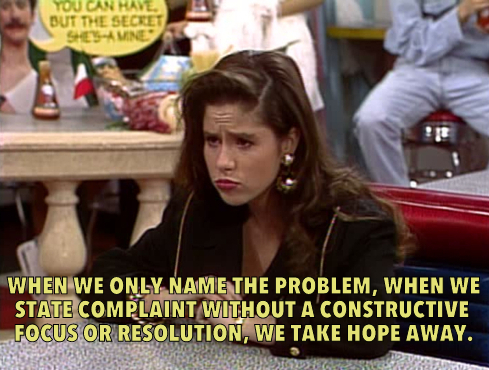
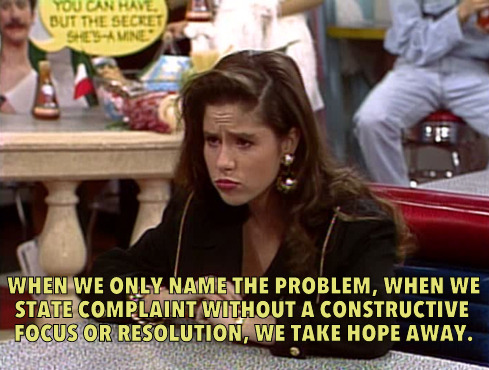
Via Saved by the Bell Hooks (the site might be the best thing ever)

Teaching is a profession that can be both extraordinarily rewarding and extraordinarily frustrating–sometimes simultaneously. Sometimes we’re tempted to throw our hands up in the air and proclaim that this student just can’t learn. And sometimes we do.

And when we as educators say that a student can’t learn, we’re saying a lot of other things, even if they’re not things we really mean or believe. It’s such a tiny statement–a throwaway line when we’re frustrated–and, yet, it has a million connotative meanings that don’t even occur to us as the words escape our lips.

When we say a student can’t learn, we’re saying that we’ve given up on her.

When we say a student can’t learn, we’re saying that his needs as a learner are not a priority.

When we say a student can’t learn, we might mean we don’t know how to teach her, but we’re saying that she needs to shape up and get with the program.

When we say a student can’t learn, we’re saying that we’ve tried all the tricks in our toolbox and are afraid to ask for help. Someone might judge us, might say we’re a bad teacher, might tell us that if we were more competent, built better relationships, went to this PD, we’d be fine. Look at the teacher down the hall. She’s fine.

When we say a student can’t learn, we’re saying “I’m not a bad teacher. I’m doing everything I know how.”

When we say a student can’t learn, we’re saying that we’re scared.

When we say a student can’t learn, we’re saying “I don’t know how to help this kid and the 24 others in my class.”

When we say a student can’t learn, we’re saying we don’t care about her.

When we say a student can’t learn, we’re saying that we are tired.

When we say a student can’t learn, we’re saying he’s not my problem.

When we say a student can’t learn instead of “I don’t know what to do, and…”, “I’ve tried everything I know how, but…” or “I don’t know how to teach her, so…” we’re saying that it’s easier to put the responsibility for making sure everyone learns on the student rather than on ourselves.

When we say those words, we’re saying so many things. Deciding what we really mean and taking action will determine how successful we are in teaching that student.

When we hear someone else say those words, we need to take a step back and withhold judgement and offer our support as colleagues to help turn the discussion toward something proactive and helpful. In order to try to build a school culture where people feel safe saying “I don’t know what to do” and asking for help, we need to offer that help and support freely and without judgement. We can’t look at our colleagues and say “This teacher can’t learn,” either.

Getting Started with Digital Portfolios

Front page of one of our digital portfolios
The front page of one student’s digital portfolio.

This year I’m piloting digital portfolios with my M2 (grade 6) class. I noticed last year that there wasn’t a lot of communication between the Learning Support program and parents. There aren’t really grades, and there’s the occasional email, but more often than not, no work goes home. Most of the work that parents do see are the results scaffolding and specialized graphic organizers, and other supplements and complements to classroom instruction. Last year, in my first year in the position, with the help of my principal we added more transparency by creating learning plans for students that contained goals for the skills that would be addressed during the school year (I know, for those of you in public schools this is SOP, but it something that seems to be slowly becoming a part of international schools). I thought this was great, but I wanted to do more. Then I got connected to Matt Renwick through Twitter and his blog, and started reading his book Digital Student Portfolios. I decided to create digital portfolios that were primarily designed to show growth, but that could be used to showcase certain pieces of work or activities that students were particularly proud of. I wanted to use digital portfolios as an opportunity to create a dialogue with students and parents about growth, and to continue to build a culture of self-reflection for learning in my classroom.

The first challenge I faced was finding the right platform to use to create the digital portfolios. My school has a pretty strict “no use of 13 and over programs and apps by students under 13” policy, so Evernote, the platform Matt discusses in his book, was out. The school’s Tech Integrator and I discussed  Google Sites, Blogger (both part of our school’s Google Apps for Education subscription) or Weebly. I ended up dismissing Blogger because I wouldn’t be able to house several blogs on the same page, and I knew that teaching students how to effectively use tags would take a while. After making two sample portfolios, one in Weebly and one in Google Sites, I decided that Weebly would work best for my purposes and be easiest for the students to use.  So far, I would recommend this as a platform.

Benefits

  • Weebly is really easy to use. It’s uses a drag and drop system to add pictures, buttons, URLs, and HTML code. I even taught my students how to embed Google Docs in their Weebly blogs (something I had thought would be easier with Google Sites).
  • Not having the easy-embed function from Google Sites led to a mini-lesson on HTML, which the students seemed to enjoy.
  • The school’s educator account provides some measure of privacy and security for students. Their sites are password protected.
  • If students forget passwords, etc they are all managed by our Instructional Technology department.
  • It’s easy for students to personalize and make their own.
  • It’s easy to share with parents and for them to navigate.
  • Creating individual blogs for each goal allows us easily see progress on individual goals, and the most recent activity (that, I hope, represents the students’ current progress toward the goal) is at the top of the page.
  • The blog format allows me, their classroom teachers, their parents, and, if they choose, their peers, to comment on the work that they share and ask questions about it.

Drawbacks

  • Weebly is extremely customizable, which is a good thing. I want students to take ownership of their portfolios I had to get through a few classes of students playing around with the design of their website, which was OK, but often what they thought of as a “good design” made their message difficult to understand. I think the next time I do this, I need to spend a bit more time on the front end integrating instruction on how design can influence the audience’s ability to understand our message, maybe using specific websites (possibly even my own) as examples.
  • Although there is a way for the student and I to be co-owners of a Weebly site, the Tech Integrator and I haven’t been able to make it work yet. This is something that would have been much easier with Google Sites or with Blogger, but I think the ease of use more than makes up for this.
  • The one blog per goal set up makes it more difficult to use tags to see connections between assignments and activities that match up to multiple goals.
  • Next year, I need to do a better job reviewing the difference between personal online communication and professional online communication (particularly editing one’s work before posting it online–see the spelling error above).

Overall, I have been completely blown away by all the things that I could do with a digital portfolio that I wouldn’t have been able to do with a traditional portfolio. I had just assumed that a digital portfolio would be a substitution for a physical portfolio or it would be an augmentation, adding some functional improvement, but not significantly different from the physical version. I am, however, starting to see that digital portfolios are really modifications of traditional portfolios, allowing my students, their parents, and me to do things that weren’t possible with the original paper format. I’m excited to continue our work and I’ll keep you updated as I keep working with the students on building their portfolios.

Have you used digital portfolios? What have been your successes? Learning experiences?

Games for Learning

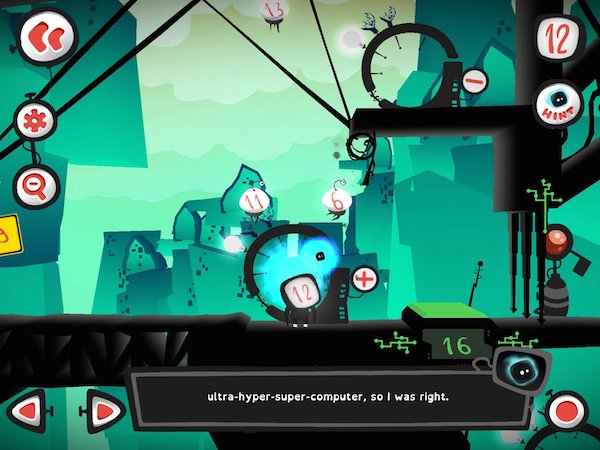
Twelve a Dozen Screenshot via Game Revolution

This is what I’ve found this year: It is easy to add games to my classroom. It’s not, however, easy to use games for learning, either to support student learning as an intervention or to extend student learning. More importantly, it’s not easy to teach students to learn from games. Or at least the students I am teaching this year.

What I’m noticing is that many of my students are used to being passive consumers of game entertainment. They are mostly casual gamers, but some of them use systems like the X-Box to play FIFA Soccer. Otherwise they play games like Angry Birds and Fruit Ninja. Not that there’s anything wrong with either of these games. They’re fun, and can involve strategy. I even know someone who does a physics project that’s entirely centered on Angry Birds. But, the tack my students have taken on these games is, as they call it, “spray and pray”. They seem to lack the patience and problem solving skills that many of my friends who play RPGs or puzzle games seem to have cultivated, and that I even noticed in my youngest sister when she started gaming in middle school (I was in grad school at this point). When playing games like Dragon Box 12+ or Twelve a Dozen, my students quickly give up and try to sneak over to play 2048 or decide to take some selfies. However, I have another group of students who become totally immersed in these games. They stop by at lunch and ask if they can borrow my iPad to play Twelve again. They discuss strategy. They’re enthralled by Dragon Box and have even started making connections between the game and algebra tasks. What’s the difference between these two groups?

I know my approach hasn’t been different with them. I introduced the games in the same way, gave the same preview, and provided similar supports when they asked questions. Perhaps it is that one group is 7th graders and one is 6th graders, but I have a second 7th grade group where a majority of the students are more like the 6th grader group–engaged and interested in solving problems. It could have something to do with learned helplessness. It could also have something to do with the students’ respective understandings of what games are, and how their particular learning styles interact with the characteristics of my chosen games, and how my students’ experiences with school frame their educational gaming experiences.

According to Jane McGonigal in her book Reality is Broken, games are defined by four characteristics: a goal, rules, a feedback system, and voluntary participation (p 26). Each of these characteristics impacts a person’s engagement with a game–whether it’s  a board game, a puzzle, an iPad app, or a complex MMORPG.

A Goal

McGonigal defines a goal in a game as the specific outcome a player wants to achieve. This goal, she says, is what gives the player a sense of purpose. In Twelve the goal to get the main character, 12, home after an explosion in the city of Dozonopolis that destroyed the super-computer. In Dragon Box it’s to help the dragon hatch–it will only come out of the box to eat when it is alone on one side of the screen. But the idea of a goal becomes more complex when we’re talking about using games for learning. For example, I have a goal for my students beyond the explicit goal of the game. I want them to sharpen skills and begin to develop answers to our essential questions: How do patterns in the world help us to make meaning and become better learners?, How can I use known information to figure out new information?, and What strategies can I use to work through a problem when I’m stuck? I chose these games specifically because, in addition to having an engaging explicit goal, the implied goals of the games (the learning goals) matched up with my goals for my students. But are the explicitly stated goals of the game enough to give my students a sense of purpose? Sometimes yes, sometimes no. But if they don’t understand the implicit goals, will they be actively engaged with the game enough to achieve the implicit goals? This is where I’m getting stuck.

Rules

I really like McGonigal’s definition of game rules: They place limitations on how one can achieve the goal of the game, forcing gamers to think creatively and apply problem solving skills. This is another point where my students start to get stuck. I posted a while ago about how being comfortable with being uncomfortable, confused, or not knowing was an important skill for students to learn. In both of these games, the rules and obstacles reveal themselves slowly and new rules are added as the games progress. For students who aren’t comfortable with working their way through confusion, these games can be very frustrating. I don’t want to choose different game though. I chose these two specifically because I wanted my students to work on answering essential questions that lead them toward being comfortable with working their way through confusion to be problem solvers. Not having the skills or understanding of problem solving techniques to work their way through this, however, is making it difficult. This is another spot where using games for learning gets tricky.

We often think of games and gamification as a way to pull in reluctant or struggling learners, but as games become more than just a fun way to practice math drills (who around my age that’s reading this didn’t relish the opportunity to play Math Blaster?) or spelling words, some of these students end up at a disadvantage again. And it’s not because they can’t do what’s being asked. Many of these students are proficient problem solvers in other areas: video games, skateboarding, soccer, building go-karts, designing art projects, planning events. It’s possibly because they aren’t comfortable with the possibility of failure and trying again in school. Even if the gaming environment is supposed to be a safe one for making mistakes and for trying and retrying, as McGonigal asserts, the other difficulties many of these students have encountered in school is making these games for learning something that doesn’t connect them to the problem solving that they’re used to, but brings them back to school where they may have learned that not getting it the first time is failure.

The question now becomes: How do I pull these kids in? How do I scaffold this before and during game play so that they can use the games to help build their capacity for problem solving and their tolerance for working through the unknown? Perhaps I should be modeling game play more and talking through how I work my way through obstacles. Maybe we just need more time with non-digital games (which I use a great deal as well and have actually experienced similar challenges with), so I can do more of that modeling. I can also do more to model how in-game supports can help me work through problems and figure out how to work within the rules of the game. For example, Dozen has a hint button, and Duolingo (a gamified language learning app) will translate words for you as you’re going through practice mode if you tap them. I, wrongly, assume that as frequent game players my students understand these types of supports or know to look for them, but that’s not necessarily the case. I think we also need more conversations about growth mindset and about positive self-talk in order to improve their self-regulation skills.

A Feedback System

Feedback systems tell us how close we’re getting to the goal. It can be something as simple as a progress bar or points, to more complex forms of feedback like text or voice feedback. Feedback keeps us engaged in games because it tells us how we’re doing and lets us know if we’re breaking the rules. One thing I have noticed is that the students who are less engaged in the games haven’t necessarily picked up on the feedback that’s being provided. In some cases, it seems like there’s a genuine mismatch between the student’s learning style and the type of feedback they’re receiving. But in others, it seems like I need to do a better job of teaching them how to use the feedback that’s being provided.

I have one student who struggled with Twelve a Dozen. This game has a narrator that gives feedback on your performance, ranging from informing you of new rules or obstacles to overcome to telling the player that it’s time to rewind and try again. The narration is also captioned. The narrator serves several purposes: reconnecting the player to the goal during a long term game, explaining rules, and giving feedback. Since it serves so many functions, it is important to listen to, even if it is a little annoying (think of the Paperclip from older versions of Word, crossed with a fussy British nanny, with a dash of dorky mathematician humor). This child turned off the sound (because he found the narrator annoying and thought it was unnecessary) and didn’t read the captioned version, so he had no idea that he was getting feedback on the way he was trying to solve the problem (“Maybe we should rewind and try something different”). There are also more subtle forms of feedback that my students miss that involve changes in color on the screen or a simple “Yuck” from the dragon in Dragon Box. Players have to be closely attending to a game and be an active participant in the game in order to realize why the dragon is saying “yuck” instead of “yum” and adjust their game-play appropriately.

I’m not sure if the difficulties my students are having using feedback for determine what they’ve learned and what they need to do next is something that they’ll learn through experience, or something I’ll have to teach them. Either way, it seems that in order to learn from gaming, they need to be able to read and take in feedback from the games.

Voluntary Participation

This final characteristic of games is, I think, one of the most important when we want to use games for learning. Being a voluntary participant in a game, according to McGonigal, means that you buy into all of the above and are agreeing to the goal and the rules. And as I said above, my goal for having a student play a game (and the implied goal of the game) may not match up with why a student is playing a game. When that happens, can learning happen? I think so, but it’s more challenging. I think games really have the power to draw learners in and engage them in difficult work in a fun way. But I think we also need to start scaffolding their abilities to engage with the goal, the rules/obstacles and the feedback system in order for them to truly be voluntary participants and use games as tools for learning.

Nearly 2000 words later, I’m still in the same place that I started. I know that games are a powerful tool for learning and that I think they have great potential for engaging my students, but I’m not entirely sure how to make that happen. I think the most helpful thing I can do for them is to keep working with them to build their perseverance and their problem solving skills, as well as do more modeling of how I engage with games and learn from them.

How do you use games for learning in your classroom? Any advice for how to help students become active participants in game play, rather than passive consumers of game entertainment?