Flipped Classroom Mini-PLC

Image by DuEnLiJu; Creative Commons 1.0

This year I’m not in a classroom as much as I was last year. I’m not teaching a core content class, I’m only doing small group intervention. That means that I have more time to coach, but I still miss the classroom. A lot. So, when I went to a workshop about using flipped classroom methodologies along with mastery-based learning, I was really excited. But I was also really disappointed. Where could I possibly use this? Certainly not as a coach.

But then! A math teacher I work with, Robin, came to me with a problem: Her students had a wide range of abilities, and she had exhausted her toolkit of differentiation techniques and activities. We talked for a while about what she wanted her students to achieve, what she had tried already, and why she thought it wasn’t working. It came down to students being in very different places in terms of their content mastery. No matter what type of instruction Robin tried, someone always felt frustrated. Kids who got things quickly didn’t feel sufficiently challenged. The kids who struggled were overwhelmed by homework and needed more coaching and support to do things correctly. Jumping in and trying to put together a flipped classroom and looking at mastery learning seemed like a great idea.

Reading About the Flipped Classroom: Starting a Mini-PLC

Our first step was to do some research together. I had dabbled in using flipped classroom techniques, but had never done it fully. She had never done it before either. After some quality time with Google and looking through the resources that I had from the workshop, we settled on the book Flipped Learning for Math Instruction by Jonathan Bergman and Aaron Sams (ISTE, 2015). We each ordered a copy and agreed to read it over winter break.

If you are a math teacher and thinking about using the flipped classroom model, I can’t recommend this book highly enough. It is clear and concise, and gives plenty of real examples from classrooms. The book is organized in a helpful manner, taking a teacher through a logic progression of beginning to implement the flipped classroom model and all the way through extending the model to using it as a part of a mastery learning environment.

Taking The Next Steps for a Flipped Classroom

As Robin and I mapped out how she would implement the flipped classroom for math, I started thinking about how I could apply it to my own teaching. I’m still not sure if I can make it work for intervention, but I can try it out in my graduate class. So we’re trying it out together and supporting each other along the way. I’m excited to work together with Robin, even though we’re implementing the flipped classroom model in vastly different settings!
Coteaching: What’s Going Well

I have my first semester of coteaching under my belt. So far, I think Drew and I are doing really pretty well. We’ve been navigating communicating and coplanning, and it feels like we have a good balance in the classroom. We both have our own areas of expertise and, I think, we’re becoming better at balancing those. There are, however, still areas we need to work on. I’m going to start with our stars (the things we do well) and follow up with a post about our next steps and how we’re going to improve.

Communication

The biggest issue people encounter in coteaching tends to be navigating the collaboration and communication piece. Drew and I have the advantage of requesting to work together to pilot a coteaching program where a Special Educator works with a General Educator, so we were both on board with the idea of coteaching and knew we had similar visions and a desire to work together. This is something a lot of coteachers don’t have. I know other special ed teachers who get thrown into classrooms with general ed teachers who don’t want them there. We also weren’t totally on our own in establishing a cotaught class. Our colleagues Pooja and Emily have already done great things coteaching as English and ELL teachers, so there were plenty of places to get advice.

We’ve become better at reading each other and are able to discuss things when one of us is uncomfortable with a strategy or technique the other wants to do. I know when to pull back or slow down when trying to infuse explicit strategy instruction or another technique, and I think Drew knows when I’m starting to feel uncomfortable with the more (as I call them) “loosey goosey” aspects of Readers’/Writers’ Workshop.

Coplanning

While I think there are things we can do to make our coplanning time more efficient, we’re generally doing a good job of always planning together and setting out a schedule for the week. We make sure to keep that time sacred and not schedule other meetings. The agreements and discussions we had before school started about how we wanted to structure our planning time were really useful, as was this planner from the book The Teacher’s Guide to Inclusive Education (Hammerkin, 2007). It helps keep us organized and on task.

Trust

There is an ease in how Drew and I interact in the classroom, and this seamlessness has helped out students to see us both as the teachers in the classroom. Not a teacher and an assistant. Not a boss and a supervisee. That’s partially because we have trust. We trust each other enough to try new things and fail. We’re willing to make mistakes, and know we’ll be corrected kindly. This trust is what makes our partnership work. We’re really lucky that we were able to choose each other for this work, but just because we chose to coteach, doesn’t mean we would be ready to be vulnerable. The biggest thing we did to foster this was talking things out at the beginning of the year: How we wanted the class to run, what we wanted things to be like. But we also shared who we are outside of school: talked about our likes and dislikes, shared pictures of our cats. And knowing each other better, both our school and out of school personas, really helps us to be open with each other. Because of the trust we’ve established we know it’s ok to say “I’m not ready to try that yet” or “I don’t understand” and knowing that the other person will still accept and work with us.

Of course, we’re not perfect. In my next post I’ll share our goals for the end of the school year and how we want to improve our practice.

Have you ever cotaught? How did you work together to establish a strong coteaching relationship?

When We Say a Student Can’t Learn

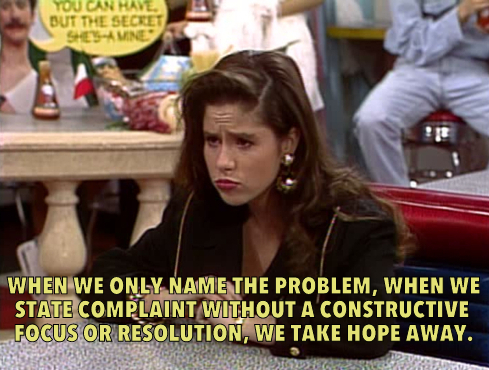
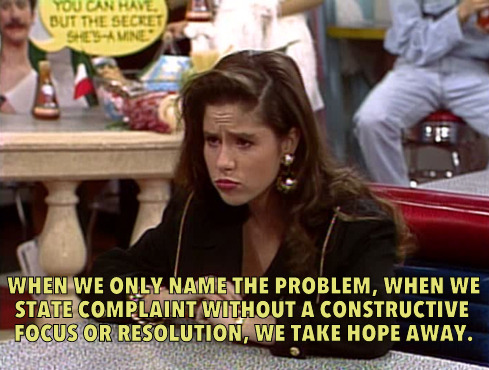
Via Saved by the Bell Hooks (the site might be the best thing ever)

Teaching is a profession that can be both extraordinarily rewarding and extraordinarily frustrating–sometimes simultaneously. Sometimes we’re tempted to throw our hands up in the air and proclaim that this student just can’t learn. And sometimes we do.

And when we as educators say that a student can’t learn, we’re saying a lot of other things, even if they’re not things we really mean or believe. It’s such a tiny statement–a throwaway line when we’re frustrated–and, yet, it has a million connotative meanings that don’t even occur to us as the words escape our lips.

When we say a student can’t learn, we’re saying that we’ve given up on her.

When we say a student can’t learn, we’re saying that his needs as a learner are not a priority.

When we say a student can’t learn, we might mean we don’t know how to teach her, but we’re saying that she needs to shape up and get with the program.

When we say a student can’t learn, we’re saying that we’ve tried all the tricks in our toolbox and are afraid to ask for help. Someone might judge us, might say we’re a bad teacher, might tell us that if we were more competent, built better relationships, went to this PD, we’d be fine. Look at the teacher down the hall. She’s fine.

When we say a student can’t learn, we’re saying “I’m not a bad teacher. I’m doing everything I know how.”

When we say a student can’t learn, we’re saying that we’re scared.

When we say a student can’t learn, we’re saying “I don’t know how to help this kid and the 24 others in my class.”

When we say a student can’t learn, we’re saying we don’t care about her.

When we say a student can’t learn, we’re saying that we are tired.

When we say a student can’t learn, we’re saying he’s not my problem.

When we say a student can’t learn instead of “I don’t know what to do, and…”, “I’ve tried everything I know how, but…” or “I don’t know how to teach her, so…” we’re saying that it’s easier to put the responsibility for making sure everyone learns on the student rather than on ourselves.

When we say those words, we’re saying so many things. Deciding what we really mean and taking action will determine how successful we are in teaching that student.

When we hear someone else say those words, we need to take a step back and withhold judgement and offer our support as colleagues to help turn the discussion toward something proactive and helpful. In order to try to build a school culture where people feel safe saying “I don’t know what to do” and asking for help, we need to offer that help and support freely and without judgement. We can’t look at our colleagues and say “This teacher can’t learn,” either.

Leveraging 1:1 Laptops for Assistive Tech

Leveraging 1:1 Laptops for Assistive Tech

Assistive tech is a huge topic. We can find all sorts of solutions for students: “no-tech”, low-tech, or high-tech, ranging from free to prohibitively expensive. The best assistive tech tools, though, are the ones that students can transition with and that will lead to independence. In special education and intervention, our goals are almost always transfer and independence. When we start leveraging the technology and resources that are already in a student’s possession, we can encourage that transfer. I’ve found a number of tools that have worked well for my students (generally students with mild to moderate LD) that are either built-in accessibility features or free apps or plug-ins. So far they’ve been working really well for us. These are a few of the tools we’ve been using for reading and writing. In a future post I’ll talk about some organizational tools and some other accessibility features and apps.

(Note: These are just things that are currently working in my classroom. I’m getting no compensation of any kind from any of these programs. I’m just sharing what’s working of my students and for me right now)

Assistive Tech for Reading

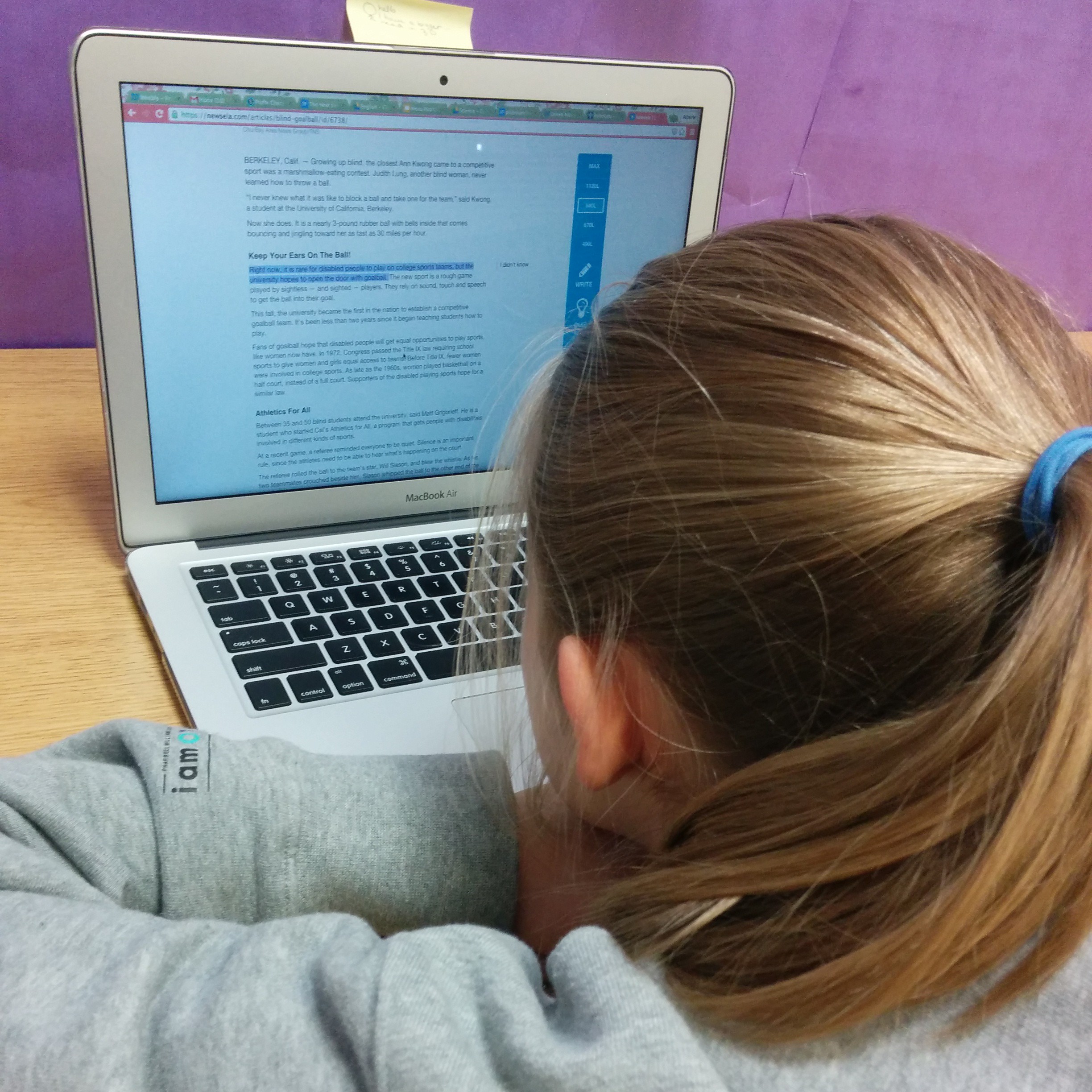
There are two different options we’ve been using for text-to-speech in order to assist students who have reading difficulties. One is a Chrome plug-in called SpeakIt, and the other is just the accessibility feature found in Acrobat Reader.

Speak It

SpeakIt is a Chrome extension that reads text on websites, including within Google Drive. It’s free and easy to use. Students can easily customize the reading voice, which includes options that are much more natural sounding and more fluid than the ones available through the accessibility features within Chrome. It is also available as an iOS app as well. Students have really enjoyed using this app to help them access more difficult texts on websites that have been assigned for class reading, when doing research online, and, I think the best application we’ve found, to have their written work read back to them in Google Docs. This is actually a use that was discovered by a student. We had been talking about how important it is to read your own writing. Realizing that he often missed his own mistakes, this student decided that he would use the extension to have his computer read his writing to him, and then used what he heard to correct commonly confused words and other spelling and usage errors. It was pretty amazing. The one limitation of this extension is that it doesn’t read PDFs that are embedded into websites (like those on our school’s LMS), so those need to be downloaded and read to the student using Adobe Reader.

Acrobat Reader

The other program students have been using, Acrobat Reader, has accessibility features that will read the text of a PDF document (as long as it hasn’t been uploaded using a scanner or camera to PDF app). Students can have an entire document read to them, or select particular sections the voice is definitely not as natural sounding as the voices in SpeakIt, but it works. The only issue I can see is with reading academic texts. For example, one of my students used the text-to-speech function to help him read a textbook entry about the beginnings of Islam. The program had more than a little difficulty with non-English words, but the 7th grader I was working with had enough background knowledge from class to figure out that the pronunciations weren’t correct. It’s not as good as using a program like Kurzweil or Read & Write Gold, but it’s free and a great way to test out if this type of assistive tech will be useful for a student.

Assistive Tech for Writing

My students generally have pretty good keyboarding skills, and we’ve done a lot of work on organization and planning this year, but they really struggle with editing their own work, particularly when it comes to commonly confused words. While text-to-speech is quite helpful for many of them, speech-to-text is a bit too much support. As a group, my students have been very excited by the Chrome extension, Ginger.

Ginger

Ginger is not your typical spell checker. It looks for commonly confused words (like homophones or words with very similar spellings), and even makes suggestions for comma usage and grammar. It is a Chrome extension and can also be downloaded as a keyboard app for Android and iOS, as well as desktop version that integrates with Word. Unfortunately for us, it’s only available for PC in that form. I’ve found it to work much better than the spell-check that is integrated into Chrome. It has the option to correct one word in the sentence, the entire sentence, or ignore the suggestions. AND I can tell Ginger that, yes, my last name (or other words that I use frequently that spell-checkers don’t recognize, like “metacognitive” or “multisyllabic”) is indeed spelled correctly. And it will remember. Which is not just amazing for me, but also for my students who are from around the world and often have names that aren’t recognized by spell-check (and, being middle schoolers, are often offended by this). I also like that it highlights possible errors in blue, rather than with a red underline, which seems to make my kids anxious (especially if they experience a lot of difficulty with spelling). It’s not perfect, but I’ve found its suggestions to be much better than most. It’s great for when we’re working on our digital portfolios in Weebly. What’s not great is that it doesn’t seem to work within Google Drive. Students can copy and paste their text into a Ginger window, but most of my students aren’t going to take that step (mostly because they’re worried that they’ll accidentally delete the entire thing). I would love it even more if we could integrate it with one of the word processing programs (Word or Docs) that we already use.

What programs to you use to assist your students with reading and writing?

The Dream of Differentiated PD

The problem with traditional PD--why we need differentiated PD
From Jen Henga via Flicker

I think the thing that stuck with me the most when I went to CGC was the idea that everyone learns. And everyone means everyone–students, teachers, administrators–we’re all learners. To me, the CGC principle that learning is scaleable is the most important one for me this year in my new role as Instructional Coach as well as Learning Specialist. I think that trying to develop differentiated PD for the faculty is one of the most important things I can do this year to ensure that everyone learns, both because I’m modeling what I want teachers to do and because I want teachers to get what they need from PD and find it useful. So I sent this out into the Twitterverse:

Crickets.

I can’t believe that no one is trying this. It could be I didn’t use the right hashtags. It could be that I tweeted at the wrong time of day. Maybe I need to follow some of Matt Renwick’s tips here. But I came up with nothing. So I’ve been muddling through on my own, and there are a couple places where I’m still stuck.

Readiness: How Do I Know What They Don’t Know?

I work with people who come from a wide range of backgrounds and experiences. They’ve been teaching anywhere from a couple of years to a couple of decades. They have various comfort levels with differentiation and various opinions on whether or not it even has a place in our school. I’ve used a variety of different tools to try to get at this, but I’m always left with the following questions:

  • How easy is it for teachers to be vulnerable with their colleagues and admit they don’t know?
  • If part of the purpose of preassessment is to preview and maybe show learners that they have something to learn about the topic, how do you make sure that people who may see themselves as knowledgable (but may not be) feel neither talked down to or threatened?

When I tried to create a preassessment questionnaire for my last PD session, one colleague gave me the feedback that it was “too intense and detailed” and might “scare people off” or make the “feel threatened”, another colleague gave me the advice that it didn’t cover enough and really wouldn’t give an adequate preview of what people would learn. I ended up not handing it out, leaving me feeling unprepared and like I wasn’t modeling what I wanted the staff to do.

I think today this might be more successful. I used exit tickets from our last session to group people by interest. We’ll see how it goes.

Interest: How Do I Keep Things Relevant?

I’m pretty good at helping teachers develop differentiated units and projects, but there are definitely areas that are outside my comfort zone and knowledge, most specifically subjects outside of the MESH (Math, English, Science & Humanities) or core subject domains. I’m not sure what to do that will be relevant to disciplines like PE, Art, and Music,, and sometimes Modern Languages, but I do want to make sure these teachers feel included and like a part of our professional learning community.

Things I’m trying this year:

  • Flexible groupings: grade levels, subject areas, general interests.
  • Using teacher-leaders from those disciplines to act as leaders or experts in small groups.
  • Talking to these teachers: what do you want? What can I do to make this relevant?

The thing is though, I’m still up against years of these teachers feeling not included or marginalized, and that’s the added piece here that I’m really not sure how to deal with.

Taking Risks

So trying all of this means I’m taking some risks with how I’m structuring PD. Some of them may fail, and I’ll reflect from them and learn from them. However, I’m worried that by taking those risks and failing to get it right I might make people feel like their time is being wasted. And we all know how happy teachers are when their time is being wasted (we’ve all been there and been really angry about it). So how do I find the balance between taking risks with how I’m delivering PD and playing it safe with my use of my colleagues’ time? I wonder if this is why so many schools and districts stick with the “sit and get” model of PD. People may not always enjoy it, but they’re not complaining too much.

Any thoughts? If you lead PD at your school, how do you approach these situations?

Tests, Tests, Tests

Tests, Tests, Tests
Students working on their tests in the Learning Lab.

We’ve hit that point in the year when the first units are starting to wrap up and all of my students are starting to panic about tests. Most of them have no reason to panic: They know what they need to do, but they have some sort of test anxiety. Many students, however, don’t really know how to study, which increases this anxiety. They spend most of their time working on what they already know how to do and not enough working on what they don’t know. Most likely they do this because they’re just not sure how to study what they don’t know or understand.

This year I decided to try to explicitly teach these skills, starting with knowing what to study. I created a study guide for the students in my learning support class. It’s essentially a self-assessment rubric that lists the various topics on the test and allows students to sort themselves into one of three categories: Got it!Working on it!, or I need more practice. Each category is defined (see below–it’s not pretty, but it did the job). What made me really excited was that when I shared it with the general ed math teachers, they all chose to use it with their classes.

Once the student completed the form, we looked at the areas that they thought were the weakest and created plans for how they would study. My original idea was to have them actually make a plan using their studybook or a calendar with activities they would do in order to study for each of the concepts they were unsure of, but it became clear pretty quickly that my students we they not sure what to study, they also weren’t sure how to study. We had to do a lesson about how to study, and how to study for math tests in particular.

We discussed that the best way to study for math was to practice doing problems that are similar to what will be on the test and discussed places to find questions with answers (our textbook being the main source). The other important piece was making sure to refer to notes and other sources either while completing a problem (if you are having difficulty remembering the steps) or after completing a problem. Because note taking is another area we’re working on, I created these checklists to help students practice.

Practice for tests with checklists

I laminated copies of the checklist for each student so that they could use a dry-erase marker to check off the steps as they completed them. As they worked with the checklists, they became more confident in their abilities and were able to practice the steps of the process. Eventually, I’d like to get them to the point where they can make their own checklists from their notes, but before that can happen we need to work on note taking skills.

The last step in this whole process is going to be reflection. Once students have taken the test, they will be allowed to do corrections. I created this test corrections sheet and shared it with the math teachers.

I like this test corrections sheet because it asks students to think about what might have gone wrong during an assessment, whether it is careless errors or really not understanding a concept or a process. I’m hoping that this will help us with reteaching and intervention, and that maybe we can offer students another opportunity to show what they know after reteaching in the form of a retest or another assignment.

How do you teach study skills? What do you do about test corrections or retakes? What opportunities do you offer students to demonstrate mastery of a topic after the assessment is done?

Games for Learning

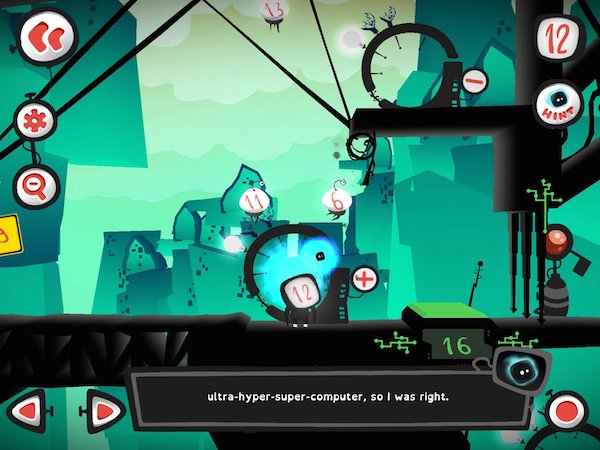
Twelve a Dozen Screenshot via Game Revolution

This is what I’ve found this year: It is easy to add games to my classroom. It’s not, however, easy to use games for learning, either to support student learning as an intervention or to extend student learning. More importantly, it’s not easy to teach students to learn from games. Or at least the students I am teaching this year.

What I’m noticing is that many of my students are used to being passive consumers of game entertainment. They are mostly casual gamers, but some of them use systems like the X-Box to play FIFA Soccer. Otherwise they play games like Angry Birds and Fruit Ninja. Not that there’s anything wrong with either of these games. They’re fun, and can involve strategy. I even know someone who does a physics project that’s entirely centered on Angry Birds. But, the tack my students have taken on these games is, as they call it, “spray and pray”. They seem to lack the patience and problem solving skills that many of my friends who play RPGs or puzzle games seem to have cultivated, and that I even noticed in my youngest sister when she started gaming in middle school (I was in grad school at this point). When playing games like Dragon Box 12+ or Twelve a Dozen, my students quickly give up and try to sneak over to play 2048 or decide to take some selfies. However, I have another group of students who become totally immersed in these games. They stop by at lunch and ask if they can borrow my iPad to play Twelve again. They discuss strategy. They’re enthralled by Dragon Box and have even started making connections between the game and algebra tasks. What’s the difference between these two groups?

I know my approach hasn’t been different with them. I introduced the games in the same way, gave the same preview, and provided similar supports when they asked questions. Perhaps it is that one group is 7th graders and one is 6th graders, but I have a second 7th grade group where a majority of the students are more like the 6th grader group–engaged and interested in solving problems. It could have something to do with learned helplessness. It could also have something to do with the students’ respective understandings of what games are, and how their particular learning styles interact with the characteristics of my chosen games, and how my students’ experiences with school frame their educational gaming experiences.

According to Jane McGonigal in her book Reality is Broken, games are defined by four characteristics: a goal, rules, a feedback system, and voluntary participation (p 26). Each of these characteristics impacts a person’s engagement with a game–whether it’s  a board game, a puzzle, an iPad app, or a complex MMORPG.

A Goal

McGonigal defines a goal in a game as the specific outcome a player wants to achieve. This goal, she says, is what gives the player a sense of purpose. In Twelve the goal to get the main character, 12, home after an explosion in the city of Dozonopolis that destroyed the super-computer. In Dragon Box it’s to help the dragon hatch–it will only come out of the box to eat when it is alone on one side of the screen. But the idea of a goal becomes more complex when we’re talking about using games for learning. For example, I have a goal for my students beyond the explicit goal of the game. I want them to sharpen skills and begin to develop answers to our essential questions: How do patterns in the world help us to make meaning and become better learners?, How can I use known information to figure out new information?, and What strategies can I use to work through a problem when I’m stuck? I chose these games specifically because, in addition to having an engaging explicit goal, the implied goals of the games (the learning goals) matched up with my goals for my students. But are the explicitly stated goals of the game enough to give my students a sense of purpose? Sometimes yes, sometimes no. But if they don’t understand the implicit goals, will they be actively engaged with the game enough to achieve the implicit goals? This is where I’m getting stuck.

Rules

I really like McGonigal’s definition of game rules: They place limitations on how one can achieve the goal of the game, forcing gamers to think creatively and apply problem solving skills. This is another point where my students start to get stuck. I posted a while ago about how being comfortable with being uncomfortable, confused, or not knowing was an important skill for students to learn. In both of these games, the rules and obstacles reveal themselves slowly and new rules are added as the games progress. For students who aren’t comfortable with working their way through confusion, these games can be very frustrating. I don’t want to choose different game though. I chose these two specifically because I wanted my students to work on answering essential questions that lead them toward being comfortable with working their way through confusion to be problem solvers. Not having the skills or understanding of problem solving techniques to work their way through this, however, is making it difficult. This is another spot where using games for learning gets tricky.

We often think of games and gamification as a way to pull in reluctant or struggling learners, but as games become more than just a fun way to practice math drills (who around my age that’s reading this didn’t relish the opportunity to play Math Blaster?) or spelling words, some of these students end up at a disadvantage again. And it’s not because they can’t do what’s being asked. Many of these students are proficient problem solvers in other areas: video games, skateboarding, soccer, building go-karts, designing art projects, planning events. It’s possibly because they aren’t comfortable with the possibility of failure and trying again in school. Even if the gaming environment is supposed to be a safe one for making mistakes and for trying and retrying, as McGonigal asserts, the other difficulties many of these students have encountered in school is making these games for learning something that doesn’t connect them to the problem solving that they’re used to, but brings them back to school where they may have learned that not getting it the first time is failure.

The question now becomes: How do I pull these kids in? How do I scaffold this before and during game play so that they can use the games to help build their capacity for problem solving and their tolerance for working through the unknown? Perhaps I should be modeling game play more and talking through how I work my way through obstacles. Maybe we just need more time with non-digital games (which I use a great deal as well and have actually experienced similar challenges with), so I can do more of that modeling. I can also do more to model how in-game supports can help me work through problems and figure out how to work within the rules of the game. For example, Dozen has a hint button, and Duolingo (a gamified language learning app) will translate words for you as you’re going through practice mode if you tap them. I, wrongly, assume that as frequent game players my students understand these types of supports or know to look for them, but that’s not necessarily the case. I think we also need more conversations about growth mindset and about positive self-talk in order to improve their self-regulation skills.

A Feedback System

Feedback systems tell us how close we’re getting to the goal. It can be something as simple as a progress bar or points, to more complex forms of feedback like text or voice feedback. Feedback keeps us engaged in games because it tells us how we’re doing and lets us know if we’re breaking the rules. One thing I have noticed is that the students who are less engaged in the games haven’t necessarily picked up on the feedback that’s being provided. In some cases, it seems like there’s a genuine mismatch between the student’s learning style and the type of feedback they’re receiving. But in others, it seems like I need to do a better job of teaching them how to use the feedback that’s being provided.

I have one student who struggled with Twelve a Dozen. This game has a narrator that gives feedback on your performance, ranging from informing you of new rules or obstacles to overcome to telling the player that it’s time to rewind and try again. The narration is also captioned. The narrator serves several purposes: reconnecting the player to the goal during a long term game, explaining rules, and giving feedback. Since it serves so many functions, it is important to listen to, even if it is a little annoying (think of the Paperclip from older versions of Word, crossed with a fussy British nanny, with a dash of dorky mathematician humor). This child turned off the sound (because he found the narrator annoying and thought it was unnecessary) and didn’t read the captioned version, so he had no idea that he was getting feedback on the way he was trying to solve the problem (“Maybe we should rewind and try something different”). There are also more subtle forms of feedback that my students miss that involve changes in color on the screen or a simple “Yuck” from the dragon in Dragon Box. Players have to be closely attending to a game and be an active participant in the game in order to realize why the dragon is saying “yuck” instead of “yum” and adjust their game-play appropriately.

I’m not sure if the difficulties my students are having using feedback for determine what they’ve learned and what they need to do next is something that they’ll learn through experience, or something I’ll have to teach them. Either way, it seems that in order to learn from gaming, they need to be able to read and take in feedback from the games.

Voluntary Participation

This final characteristic of games is, I think, one of the most important when we want to use games for learning. Being a voluntary participant in a game, according to McGonigal, means that you buy into all of the above and are agreeing to the goal and the rules. And as I said above, my goal for having a student play a game (and the implied goal of the game) may not match up with why a student is playing a game. When that happens, can learning happen? I think so, but it’s more challenging. I think games really have the power to draw learners in and engage them in difficult work in a fun way. But I think we also need to start scaffolding their abilities to engage with the goal, the rules/obstacles and the feedback system in order for them to truly be voluntary participants and use games as tools for learning.

Nearly 2000 words later, I’m still in the same place that I started. I know that games are a powerful tool for learning and that I think they have great potential for engaging my students, but I’m not entirely sure how to make that happen. I think the most helpful thing I can do for them is to keep working with them to build their perseverance and their problem solving skills, as well as do more modeling of how I engage with games and learn from them.

How do you use games for learning in your classroom? Any advice for how to help students become active participants in game play, rather than passive consumers of game entertainment?