Student Centered IEP Meetings in Action


I am so very proud of all of my students. With the exception of a few, they all participated in their end-of-year ILP meetings, and most of them led or co-led their meetings. Some were nervous. Some became embarrassed or flustered and needed to use our agreed upon signal to have me take over. But most of them were rock stars (yes, this is a clinical term). I am declaring student centered IEP meetings (with the help of our digital portfolios) a success, even if there are a few things I’d change next year.

Based on what I saw during the student centered IEP meetings and some responses I got to the survey I did after the meetings were done, I came to a few conclusions:

  • The 6th graders definitely did better than the 7th graders with leading the meetings
  • Students who made digital portfolios and practiced self-reflection all year did better than those classes where I didn’t try out the digital portfolio
  • The better the students understood the purpose of their digital portfolios, the better they did at the meetings
  • Preparing for the meetings helped students to be able to both identify and understand their goals
  • The kids who are the most outgoing weren’t necessarily the ones who were the most comfortable in the meetings.
Digital Portfolios to Support the Meetings

While my 6th graders are, in general, a more self-reflective group than my 7th graders, I really think that the digital portfolios helped to support their self-reflection. This helped them to have more successful student centered IEP meetings. My 6th graders spoke confidently about their goals and their progress, showing examples from their digital portfolios. They were able to describe why we decided on their new goals and where they wanted to be the following year. Next year, I plan on doing digital portfolios with all of my students, and the other Learning Specialist will do the same. I’ve even convinced a few of the ELL teachers to try them with their students as well.

Skills for Public Speaking, Especially with Adults

I tried to scaffold the presentation portion of it as much as possible, but I think it was still a little intimidating to present to a room full of adults. All of my students have done some work with public speaking, but most of it has been in front of peers, rather than adults. For the most part, students found the organizers that we used to prepare for the meetings helpful, but I think I need to structure the other preparation activities differently. We tried role playing, but it tended to get a little silly. I think next year I need to set up very specific expectations about behavior and participation. I also made the mistake of assuming that the talkative, outgoing students wouldn’t need as much support in presenting to their parents and teachers. For these students, while they may be very comfortable with talking, talking about themselves and their progress can be daunting. I need to give all of my students more support next year.

Understanding Goals

It was pretty shocking to me how little understanding most of my students had their specific goals and why they existed. Most of my students told me at the end of the year that they knew what their new goals were and knew some ways we’d be working towards them next year. At the beginning of this past year, most of my students couldn’t identify their goals and couldn’t tell me why they had specific goals. Now that they’re more informed, I’m hoping that they’ll be more motivated to participate in actively working to achieve their goals.

I’m excited to plan for implementing digital portfolios and student centered IEP meetings next year and I’m sure it will be even more successful now that I’ve tried it out once.

Planning for Student Centered IEP Meetings

Student centered IEP meeting prep
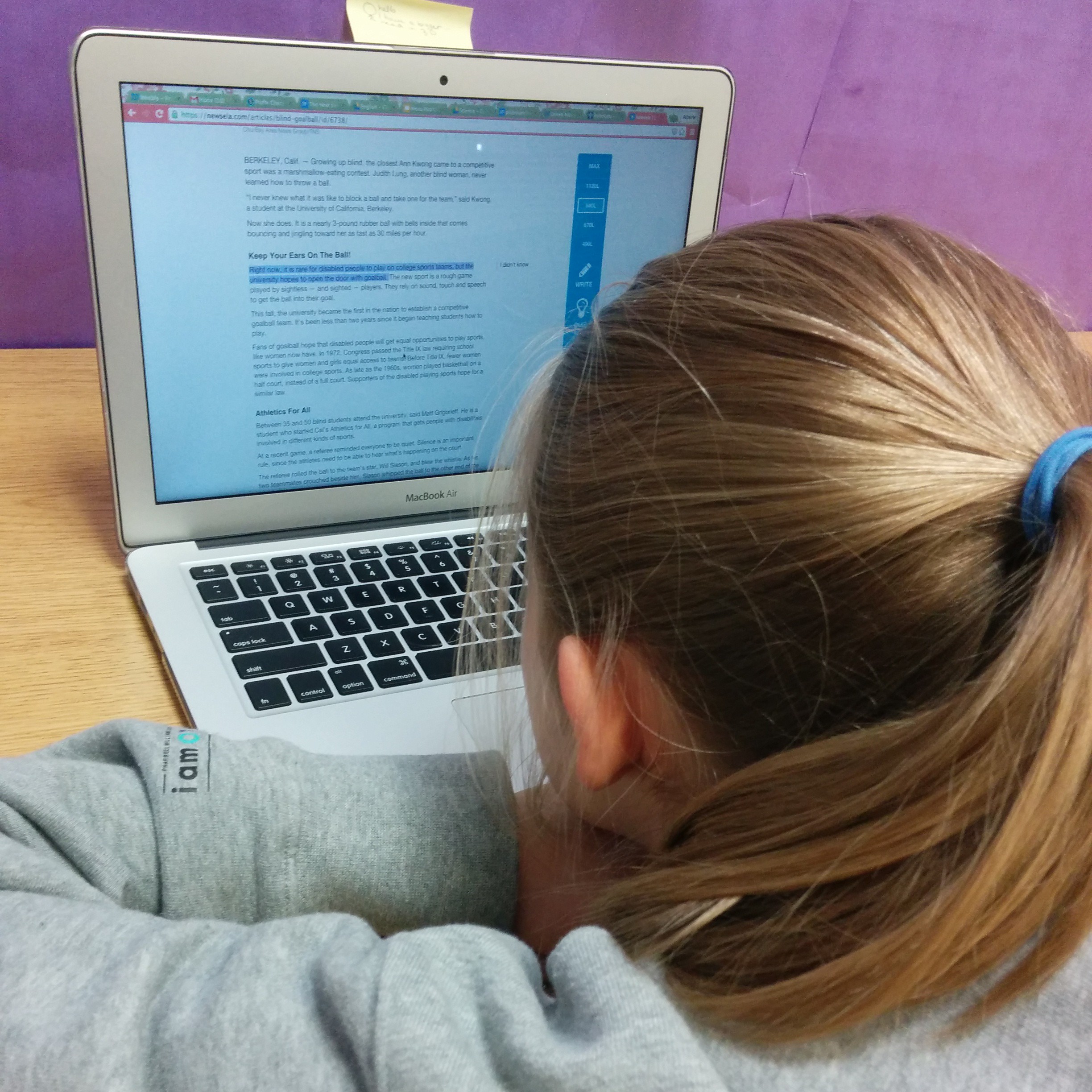
A student working on self-evaluating her progress toward her goals

Over the next few weeks I’m going to have parents come into my room to discuss their child’s learning plan for next year. And I’m going to turn the meeting over to the student. It’s the first time I’ve ever done student centered IEP meetings (or ILP–Individual Learning Plan–meetings as they’re called in my school). And I’m terrified. But I’m also very excited.

Step 1: Completing Digital Portfolios for the Year

I took the first step toward having students self-reflect more and take more responsibility for their own learning when I tried out digital portfolios with my M2 students this year. For me, the logical next step was to have students do a final self-reflection at the end of the year that led to them evaluating their own progress, and then helping to lead their own student centered IEP meetings. I’m also trying this with my M3 students, who, as you may remember,don’t go in for all that touchy-feely nonsense” like self-reflection and growth mindset. We’ll see how that goes.

Step 2: Self-Evaluation and Setting New Goals

After my students completed their portfolio work, they evaluated their progress on a more global level in order to prepare them to help lead their student centered IEP meetings: How do all of these examples of various skills within a broader goal to show progress? What do I still have left to learn? What’s the next step? How can I continue to improve next year?

Student centered IEP meeting goal setting
A student working on goal setting for his student centered IEP meeting

The students filled out the form below, describing their goal, choosing evidence from their portfolio to demonstrate their progress, rating their progress, explaining the rating, and then, with some guidance from me, setting a new goal.

Student-centered IEP meeting goal self-evaluation sheet
The goal reflection/self-evaluation sheet for our student-centered IEP meeting planning.

For the most part, they were able to evaluate their own progress. There were some students who were really hard on themselves. Those students needed redirection to focus on their progress as an individual, rather than comparing themselves to others. There were also some who immediately said they had met all of their goals, without evaluating their progress in their portfolios. These tended to be the same students who didn’t want to complete portfolio work when it was scheduled. Next year, I’d like to spend more time modeling how to evaluate progress toward a goal. I thought that the amount of evaluation we did when working on portfolios would be enough, but it really wasn’t.

Step 3: Evaluating Accommodations

Next, we moved on to evaluating how well accommodations worked and what new accommodations we should try for next year.

Student centered IEP meeting: evaluating accommodations
Student working on evaluating his accommodations (clearly keyboarding is one of them)

Here it became clear to me that even though I thought I had done a good job empowering my students to be advocates for their own learning, the students didn’t really understand their accommodations. When we went through them their response was often “teachers don’t really do that.” This, of course, may not be totally accurate, because a lot of these things happen behind the scenes. It was concerning, though, that the students weren’t always aware of what their accommodations were. I think next year at the beginning of the year, we’ll review the learning plans again so that students know what their accommodations are, and maybe have a few specific lessons on how to self-advocate.

Personal butlers are not IEP accommodations. Sorry.
This kid was really disappointed that a personal butler was not a possible accommodation.

I also (see above) should really spend a little more time discussing what accommodations are and aren’t. Wanting a personal butler notwithstanding, I was surprised that many students didn’t understand why they got specific accommodations. I expected to have to explain what was possible, but didn’t realized I would have to explain what their accommodations meant. I remember doing it earlier in the year. Maybe it’s a matter of revisiting throughout the year.

Step 4: Prepare for the Student-Centered IEP Meeting

Our last step was to prep for the meeting. Students completed an organizer where they decided how they might introduce themselves, their parents, and me, and how they would explain the purpose of the meeting. We talked about how much leadership each student was comfortable with taking, and decided on signals they could use if they needed me to take over. Then, each student took turns role playing their meeting.

I’m really excited by how confident and empowered my students seem while we’re going through this process. I really hope that they’ll feel successful when they complete their meetings and that next year they’ll take more ownership of their goals as we work on them. I’ll follow up soon with how these student centered IEP meetings went and what I’d like to do differently next year.

Have you ever done a student centered IEP meeting? What were your experiences?

Digital Portfolios Go To Parent-Teacher Conferences

Digital Portfolios Go to Parent-Teacher Conferences
A student’s entry into he digital portfolio showing how she’s using a specific strategy to help improve her writing.

One of my goals when I started using digital portfolios in my 6th grade class was to improve communication with parents, and though I have my students email their parents every time they add an update, I’m not sure how often they look at them. Parent-teacher conferences seemed like a great time to show off the work and reflection that my students have been doing this year, and I’ve had some of the best conferences ever because of it.

Concrete Examples of Learning

Each students’ digital portfolio contains artifacts: videos, embedded Google docs, snapshots of the learning process, student-created image slideshows that show the steps in the process up to creating a final product. We try to use all the digital tools at our disposal to document the learning process. With these, we’re able to demonstrate a student’s growth and learning in ways that just weren’t possible with traditional portfolios. The portfolios contained mostly qualitative data (although some quantitative was included, like spelling assessments), so artifacts of the learning process that aren’t final, completed projects are included. For example, students have chosen to add snapshots of anchor charts in the classroom and used these as one piece of evidence that they are starting to implement a strategy, along with a snapshot of an annotated reading passage. My favorite example is a student included a video of himself attempting (and failing) to explain his process for solving a problem (complete with the student recording it in the background saying “Dude–I don’t think guess and check is a valid strategy here”), and then explaining how he can improve in his reflection.  Not only did this provide parents with concrete examples of the learning process, they also provided a glimpse into their child’s self-reflection and growth. During the conferences, I was able to use these artifacts to discuss progress with parents and demonstrate student learning and growth.

Promoting a Growth Mindset for Students and Parents

When I talk to colleagues about trying to promote a growth mindset amongst their students, parental expectations are often a hurdle. By setting up our digital portfolios so they were a documentation of students’ growth and progress over time toward specific goals, I was able to communicate to parents the importance of perseverance, self-reflection, and positive self-talk in the learning process. Rather than the conversation focusing on what the student wasn’t doing, the conversation was focused on what they were doing and the progress that they had made, however incremental it might have been, toward their goals. That shift in conversation, I think, relates to the transparency that comes from the digital portfolio. Parents have access to artifacts of student learning, as well as what the students learned from the experience (in their own words). That’s a pretty powerful combination.

Overall, I think that the digital portfolios made for a better set of parent-teacher conferences this year, both because of what my students created and what parents were able to take from them.

How have you used your digital portfolios to facilitate communication with parents?

Student Voice and SRSD

IMG_20141217_090628

I use SRSD (Self-Regulated Strategy Development)  as my primary way of teaching writing to my students. There are a lot of reasons why I love it. It’s research validated. It connects easily to whatever type of writing instruction is happening in their classrooms–workshop models, process writing, etc.–so the skills they learn are easily transferred. It provides just the right amount of structure for students who need it, while not being constricting for students who don’t (check out the article in AMLE Magazine by Pooja Patel & Leslie Laud for more info). The best part, though, is that it’s flexible. We’ve been working on close reading for a while and I’ve asked students, as part of Sunday Cummins‘s model of close reading, to follow up their reading with a written response. Of course, I used the familiar TIDE organizer that we’ve been using all year, but the results weren’t what I had hoped.

We had done everything right. We had discussed the strategy. I worked with them to develop their background knowledge, and made connections between our work with close reading and our work with using TIDE to help us plan and organize paragraphs. We set goals. I modeled, both by looking for the parts of the paragraph in a model piece of writing and by using the active board to model writing a response. I modeled my own positive self-talk as I wrote. And I provided supports and scaffolds. Their writing still didn’t make the connections and inferences I wanted them to make, so I decided to turn it over to them. And they took me somewhere really amazing.

students creating a poster for writing about close reading

I asked them to make a poster that would teach someone else about how to write about close reading, and to use a metaphor to do it (an idea I got from Pete Hall at the BTCFS workshop). Writing about close reading, they said, was like an iceberg. Above the water, they said, is the main idea, supported by the “pasta words” (what Cummins calls the important details). Under the water, they told me, was the synthesis–the conclusions they draw that can’t be found directly in the text. After they made their iceberg, they added images to help them. A boat called the S.S. Annotation to remind them to use what they had written on the text to help them identify the pasta words and to remind them to use their “I wonder…” annotations to help them make connections and draw conclusions. They also added an airplane (with flaming jet engines, of course), where they wrote what makes a good main idea. They added post-its to explain all of the parts, and then explained their new strategy to a colleague of mine from the ELL department who happened to be walking by the classroom.

Using SRSD with close reading

The next class when we went to work on writing, it was a huge change. They had ownership of the type of writing I was asking them to do, and of the strategy I had asked them to employ. When we went through the modeling and practice, and the results were so much better than the first time. All because they took over defining the parts of the text themselves. They had the background knowledge, I just needed to find a way to empower them make the connections between the two topics that would help them take ownership of their writing.

close reading & SRSD


They really came up with something great.

How do you empower your students to make connections and take ownership of their learning?

Leveraging 1:1 Laptops for Assistive Tech

Leveraging 1:1 Laptops for Assistive Tech

Assistive tech is a huge topic. We can find all sorts of solutions for students: “no-tech”, low-tech, or high-tech, ranging from free to prohibitively expensive. The best assistive tech tools, though, are the ones that students can transition with and that will lead to independence. In special education and intervention, our goals are almost always transfer and independence. When we start leveraging the technology and resources that are already in a student’s possession, we can encourage that transfer. I’ve found a number of tools that have worked well for my students (generally students with mild to moderate LD) that are either built-in accessibility features or free apps or plug-ins. So far they’ve been working really well for us. These are a few of the tools we’ve been using for reading and writing. In a future post I’ll talk about some organizational tools and some other accessibility features and apps.

(Note: These are just things that are currently working in my classroom. I’m getting no compensation of any kind from any of these programs. I’m just sharing what’s working of my students and for me right now)

Assistive Tech for Reading

There are two different options we’ve been using for text-to-speech in order to assist students who have reading difficulties. One is a Chrome plug-in called SpeakIt, and the other is just the accessibility feature found in Acrobat Reader.

Speak It

SpeakIt is a Chrome extension that reads text on websites, including within Google Drive. It’s free and easy to use. Students can easily customize the reading voice, which includes options that are much more natural sounding and more fluid than the ones available through the accessibility features within Chrome. It is also available as an iOS app as well. Students have really enjoyed using this app to help them access more difficult texts on websites that have been assigned for class reading, when doing research online, and, I think the best application we’ve found, to have their written work read back to them in Google Docs. This is actually a use that was discovered by a student. We had been talking about how important it is to read your own writing. Realizing that he often missed his own mistakes, this student decided that he would use the extension to have his computer read his writing to him, and then used what he heard to correct commonly confused words and other spelling and usage errors. It was pretty amazing. The one limitation of this extension is that it doesn’t read PDFs that are embedded into websites (like those on our school’s LMS), so those need to be downloaded and read to the student using Adobe Reader.

Acrobat Reader

The other program students have been using, Acrobat Reader, has accessibility features that will read the text of a PDF document (as long as it hasn’t been uploaded using a scanner or camera to PDF app). Students can have an entire document read to them, or select particular sections the voice is definitely not as natural sounding as the voices in SpeakIt, but it works. The only issue I can see is with reading academic texts. For example, one of my students used the text-to-speech function to help him read a textbook entry about the beginnings of Islam. The program had more than a little difficulty with non-English words, but the 7th grader I was working with had enough background knowledge from class to figure out that the pronunciations weren’t correct. It’s not as good as using a program like Kurzweil or Read & Write Gold, but it’s free and a great way to test out if this type of assistive tech will be useful for a student.

Assistive Tech for Writing

My students generally have pretty good keyboarding skills, and we’ve done a lot of work on organization and planning this year, but they really struggle with editing their own work, particularly when it comes to commonly confused words. While text-to-speech is quite helpful for many of them, speech-to-text is a bit too much support. As a group, my students have been very excited by the Chrome extension, Ginger.

Ginger

Ginger is not your typical spell checker. It looks for commonly confused words (like homophones or words with very similar spellings), and even makes suggestions for comma usage and grammar. It is a Chrome extension and can also be downloaded as a keyboard app for Android and iOS, as well as desktop version that integrates with Word. Unfortunately for us, it’s only available for PC in that form. I’ve found it to work much better than the spell-check that is integrated into Chrome. It has the option to correct one word in the sentence, the entire sentence, or ignore the suggestions. AND I can tell Ginger that, yes, my last name (or other words that I use frequently that spell-checkers don’t recognize, like “metacognitive” or “multisyllabic”) is indeed spelled correctly. And it will remember. Which is not just amazing for me, but also for my students who are from around the world and often have names that aren’t recognized by spell-check (and, being middle schoolers, are often offended by this). I also like that it highlights possible errors in blue, rather than with a red underline, which seems to make my kids anxious (especially if they experience a lot of difficulty with spelling). It’s not perfect, but I’ve found its suggestions to be much better than most. It’s great for when we’re working on our digital portfolios in Weebly. What’s not great is that it doesn’t seem to work within Google Drive. Students can copy and paste their text into a Ginger window, but most of my students aren’t going to take that step (mostly because they’re worried that they’ll accidentally delete the entire thing). I would love it even more if we could integrate it with one of the word processing programs (Word or Docs) that we already use.

What programs to you use to assist your students with reading and writing?

Close Reading for Intervention

Close reading guided practice
Guided practice with close reading on the interactive whiteboard

I mentioned in some earlier posts that this summer I did a workshop with Pooja Patel on integrating close reading strategies with writing from sources. One of the great things about doing presentations like this is the amount of research one does beforehand (especially when one has the opportunity to just say “I want to learn more about this. I’l do a presentation). I had dabbled in close reading, the way you do in a middle school English class, but mostly in large group settings, but hadn’t really approached it in a systematic way. In order to prep for the presentation, I delved further into the book Close Reading of Informational Texts by Sunday Cummins and into the article from  Journal of Adolescent and Adult LiteracyClose Reading as an Intervention for Struggling Middle School Students by Douglas Fisher and Nancy Frey. Before reading these texts, I didn’t really see how close reading could benefit everyone. I had focused on it as a strategy for general education classes, rather than one that could have significant benefits for ELLs and students with LD. Now that I’m implementing it, my struggling readers have really taken to the strategy, and are beginning to synthesize what they read.

I started the year by slowly and intentionally introducing and then integrating the strategies that Dr. Cummins discusses in her book: accessing and applying prior knowledge of text structure and content vocabulary, setting a purpose for reading, self-monitoring for meaning, determining importance, and synthesizing. I’ve just introduced students to determining importance, and we’re working our way toward some explicit instruction in synthesis. We’re working on reading through our first short texts integrating these skills now. I thought they would be more resistant to repeated readings, but they have been enjoying reading about unusual animals and keep getting more out of the text each time they read.

Close Reading Skill: Questioning

After the quick overview of synthesis Dr. Cummins recommends, I began by teaching questioning as a way to support students’ self-monitoring skills. I decided to deviate from her sequence for a number of reasons, but most importantly, because self-monitoring was a skill that came up over and over again in my students’ IILPs (like IEPs, but for International Schools), and I noticed from my initial assessments that students experienced difficulty differentiating between explicit and implicit questions. After an introduction to QAR and a great deal of guided practice with asking, classifying and answering questions, students were beginning to use questioning to help them monitor their own comprehension. A few even transferred (!) the strategy to classes outside of learning support.

Close Reading Skill: Previewing
Using TELL to preview a text before close reading
Anchor chart for the TELL strategy (Cummins, 2013)

We used the strategy TELL (Cummins, 2013) to help students tap into their knowledge of text structure and to help set a purpose for reading. Both skills were taught explicitly in separate lessons. I’ve used previewing strategies before and have spent time with struggling students teaching text structures, but teaching it with the goal of close reading in mind opened up the strategies in ways I hadn’t considered. Students aren’t just using text features and structures as a guide to help them build schema and organize facts from the informational text, they’re actually starting to have conversations about why authors would choose specific text features or formats. For example, in a text by Nic Bishop that we read, they pointed out that it seemed like a journal because there were dates in the subheadings. As we read, they even asked a really insightful question: “Why does the author use I instead of writing it like a ‘normal book’?” After some discussion they decided that the author wanted to let us know that he had really experienced these things, and that maybe he had wanted to draw the reader in and make him or her more curious about animals.

Students are also better able to set purposes for reading after previewing, which helps them to decide what is important. They made their predication about what the text would be about individually and then we discussed the different predications and came up with one that worked for all of us (see below). Using this, we were able to set a purpose for reading as a group.

Close Reading Strategy: Determining Importance
Close reading guided practice
Our close reading guided practice hanging on the wall.

Our most recent lesson focused on determining importance. I love Dr. Cummins’ introductory lesson about separating the “pasta” words from the “water” words. It actually worked quite well with my students. Using our purpose as a jumping off point, I modeled how to pick out the important information (see above). Today, students worked on finding it independently and we shared our annotations on the interactive whiteboard and made our first try at composing a summary. Again, I found it really interesting the things that showed up in their summaries. We’ve worked on summarizing before, but this is the first time that they’ve  written in response to a text that contains more synthesis than summary. Their description of the glass frog was peppered with statements like “We wonder how it eats moths and flies if it is only the size of a bean,” and “We think it developed this adaptation to hide from predators.” Granted, this was a scaffolded, guided task, but I’m seeing changes in the way they look at texts.

Have you used close reading with your classes? What advice would you have for next steps?

Pausing to Reflect: Self-Reflection on Teaching Self-Reflection

Image by David Whelan via Flickr CC BY-SA 2.0

Self-reflection is an important part of growth and learning. I’m trying to ask my students to do more of it this year. I’m asking my M2 (grade 6) students to create digital portfolios (more on them soon..check out Matt Renwick’s book though!) where they track their progress toward goals they’ve set for themselves, as well as the goals that I’ve created for them for the learning plans or IEPs. Within the SRSD writing framework I’m asking students to evaluate their own work, reflect on their progress, and set new goals for themselves. Many of them enjoy these activities, but I have had several students who were resistant. The most interesting response that I got was that it was “tacky” to do self-reflections. I still haven’t figured out what she actually meant. But given that resistance I thought I should practice what I preach and figure out what went wrong.

Clearly something was making this student uncomfortable, even if she was having difficulty articulating it. Did she mean that the task–write a note to your parents that I would share with them at parent-teacher conferences telling them how you thing you’re doing meeting your goals–felt inauthentic and maybe a little weird? I suppose I can’t actually argue with her there. It might not have been able to come up with something a little more authentic. Is “tacky” for this kid like Holden Caufield’s “phony”? Had she just been asked to do the same exercise in all of her other classes and it was just enough? I realized that in addition to all of those possibilities, I hadn’t ever actually made reflection something real–something that I engage in both at work and in my day-to-day life. I didn’t let her know about all the ways reflection happens in the real life of an adult. And, yes, none of them involve a letter to my mom…

  • When I’m teaching I ask myself whether lessons went well and why or why not, including how I interacted with students, and I do some self-reflection in writing on this blog;
  • When I improvise a recipe I reflect on cooking techniques and ingredient choices and I make notes for what I’ll do if I try it again;
  • When I bake bread I take a bite of the finished  loaf and reflect on my technique and the choices I made about rising time and liquid-to-flour ratios;
  • When I finish I run I ask myself if I’m tired and whether I could have pushed myself to run faster or farther;
  • When I finish knitting a sweater I look at how it fits and make notes about how I might change things the next time I knit a sweater so that it will fit even better.

As much as I am philosophically all for letting kids know why what I’m asking them to do is important to their lives–not just their lives as students, but their lives as human beings–sometimes I don’t do a great job of remembering to tell them that these are things that I’m not just telling them that people do, but that I do. And because I’ve learned that this helps me to be successful, I think it’s important to teach my students. Maybe I need to look into ways to making my self-reflection practices more transparent to my students, the same way I talk about what I’m reading or ways that I used math that day.

How do you make skills that seem like “school” things, but are a actually a part of your everyday life as an adult, feel relevant to your students? How do you make self-reflection activities authentic?